
iPhone XR Screen Replacement: Cheapest Options & Quality Comparison
A repair shop in Leeds learned an expensive lesson last year. They ordered 100 iPhone XR screens at £8 each from a supplier advertising "OEM quality LCD." The price was unbeatable. The screens looked fine in the box.
Then customers started coming back.
Twenty-three screens had visible backlight bleed in the corners — the kind you can't miss in a dark room. The shop ate £184 in wasted parts, £460 in labour for reinstalls, and lost three regular customers who posted about it on Google Reviews. Total damage: over £800, all from trying to save £4 per screen.
Here's the thing most guides won't tell you: the iPhone XR is the only modern iPhone where the cheapest screen technology is also the correct one. Every iPhone from the 11 Pro onwards uses OLED. The XR uses LCD — Apple's Liquid Retina display. That means you don't need to worry about LCD-to-OLED downgrades, colour accuracy gaps, or true black levels. You just need to know which LCD grade to buy.
We've been supplying iPhone XR screens from Shenzhen's Huaqiangbei market for over six years. This guide breaks down exactly what each quality tier costs, what separates a £8 screen from a £25 screen, and the 30-second backlight test that would have saved that Leeds shop £800.
What an iPhone XR Screen Replacement Actually Costs in 2026
Here's the real pricing breakdown. No fluff, no "contact us for a quote" — just numbers:
| Route | Cost | What You Get |
|---|---|---|
| Apple Official (with AppleCare+) | £25 | Genuine Apple LCD, full warranty |
| Apple Official (without AppleCare+) | £169 | Genuine Apple LCD, 90-day warranty |
| High Street Repair Shop (Grade A LCD) | £50–£80 | Quality aftermarket LCD, 6-12 month warranty |
| High Street Repair Shop (Budget LCD) | £30–£50 | Basic aftermarket LCD, 3-month warranty |
| DIY — Grade A LCD Part | £18–£28 | Quality aftermarket LCD, you install |
| DIY — Budget LCD Part | £8–£15 | Basic aftermarket LCD, you install |
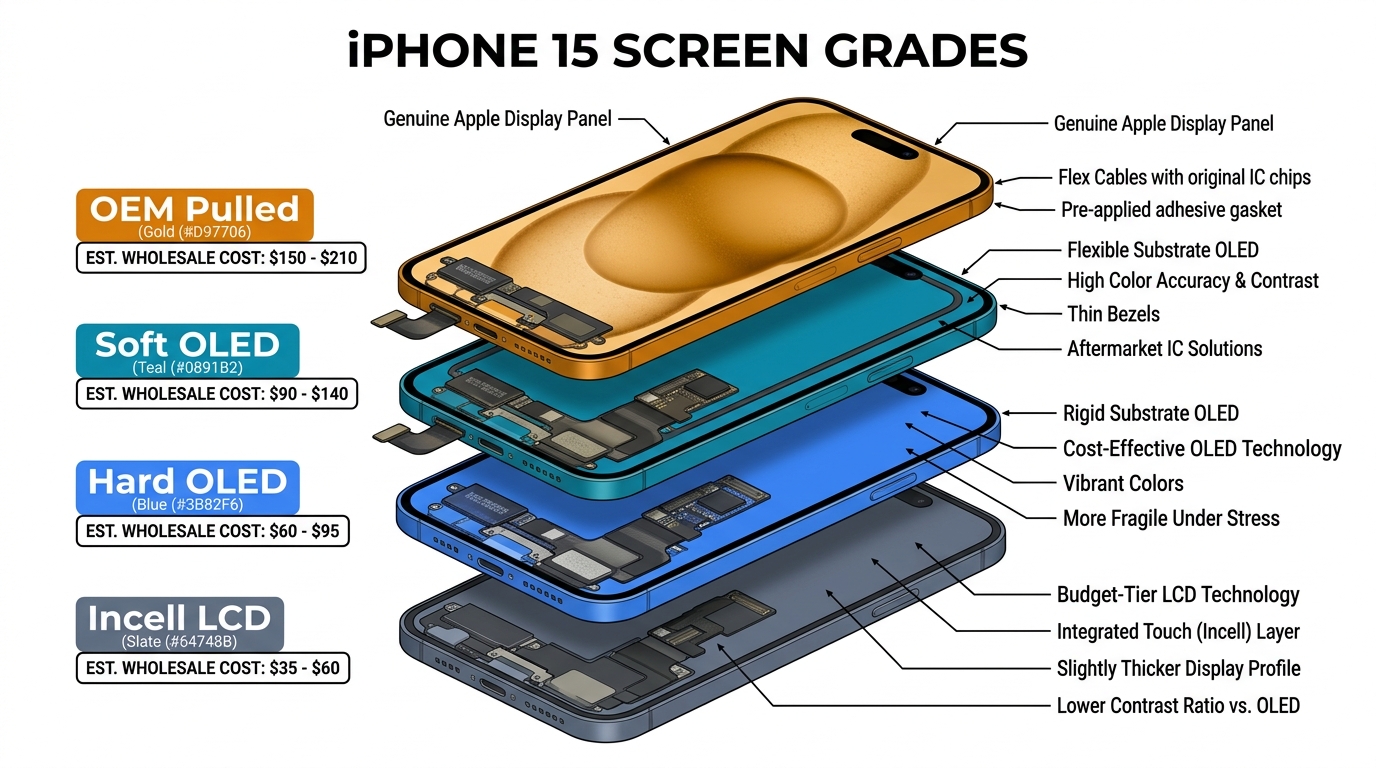
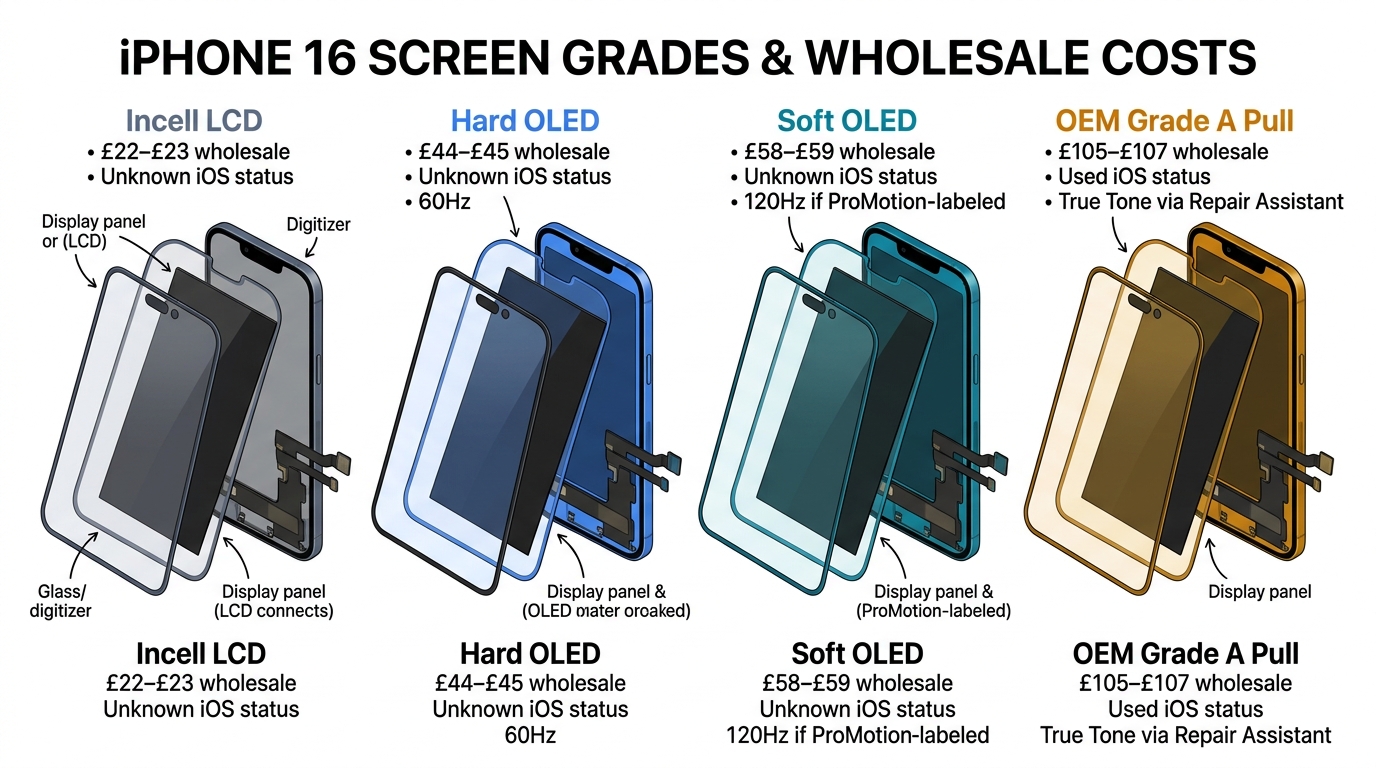
The key insight: Unlike iPhone 11 Pro, 12, 13, 14, or 15 replacements — where you're choosing between OLED and LCD technologies — the iPhone XR replacement market is LCD-only. Apple's original XR screen is a 6.1-inch Liquid Retina LCD at 1792 x 828 pixels. Every aftermarket replacement uses the same IPS LCD technology. The price difference isn't about the panel technology. It's about three things: backlight quality, flex cable durability, and quality control consistency.
The 3 iPhone XR Screen Quality Tiers (What Suppliers Won't Explain)
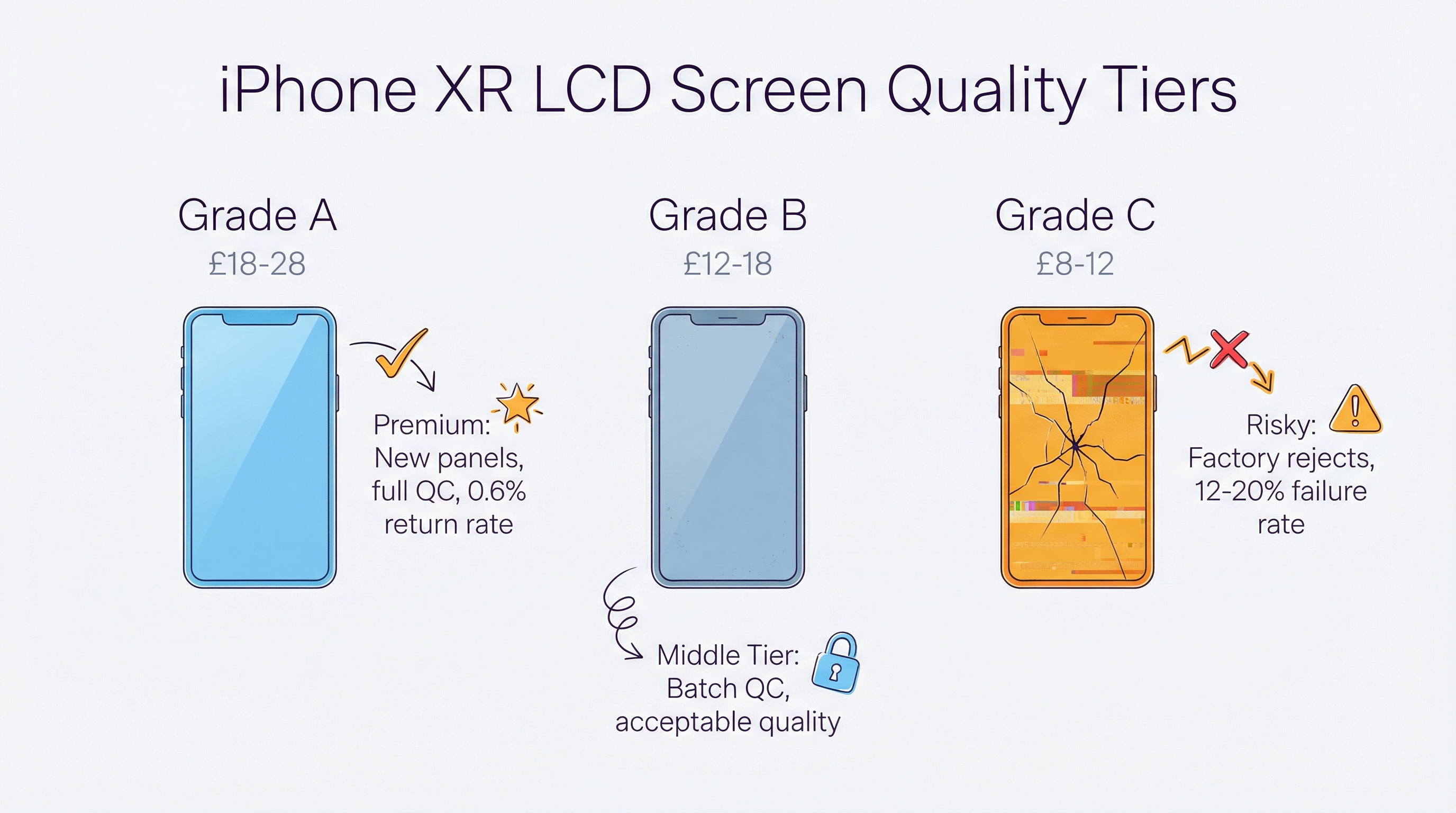
Walk into any wholesale market in Huaqiangbei and ask for iPhone XR screens. You'll get quoted three different prices. The supplier will call them "A grade," "B grade," and "C grade" — but won't explain what that actually means. Here's what's really going on:
Tier 1: Grade A LCD (A货) — £18-£28 per unit
This is the tier that matters for professional repair shops. Grade A screens use:
- New LCD panels from established manufacturers (Tianma 天马, BOE 京东方, or similar)
- Quality backlight modules with uniform diffuser film (导光板) — no corner bleed
- Durable flex cables with proper gold-plated connectors
- Full QC testing — each screen powered on and checked before shipping
The insider detail: The LCD panel itself in a Grade A screen is often manufactured on the same production line as the panel in a Grade C screen. The difference is QC. Grade A panels passed all quality checks. Grade C panels had minor defects — slight backlight unevenness, a marginally slower touch response — and were sorted into a lower bin. Same factory, same line, different quality gate.
Our RMA data across 150+ UK repair shops shows Grade A iPhone XR screens averaging a 0.6% return rate. That's lower than any iPhone OLED replacement tier.
Tier 2: Grade B LCD (B货) — £12-£18 per unit
Grade B is the "good enough" tier. These screens:
- Use the same LCD panel manufacturers as Grade A
- Have acceptable but imperfect backlights — you might see slight unevenness at maximum brightness in a dark room, but most customers won't notice in normal use
- Use standard flex cables — functional but more prone to failure after 12-18 months
- Undergo batch QC rather than individual testing — the supplier checks 10% of a batch, not every unit
Who should use this: Shops offering a "budget repair" option alongside their standard service. Be transparent with customers about the tier difference. The shops that get in trouble are the ones selling Grade B at Grade A prices.
Tier 3: Grade C LCD (C货) — £8-£12 per unit
This is where the Leeds shop got burned. Grade C screens are:
- Factory rejects that failed QC at the Grade A/B level
- Screens with visible backlight bleed, uneven brightness, or slightly off colour temperature
- Often packaged with thinner flex cables that are prone to ghost touch issues after 6-9 months
- No individual QC — you're buying a batch and hoping for the best
The brutal math: At £8 per screen, you save £10-£20 compared to Grade A. But if even 15% of screens need replacing (and our data shows Grade C failure rates of 12-20%), you're spending more in labour than you saved on parts. A single reinstall costs £15-£20 in technician time. On a batch of 50 screens, that's 7-10 failures = £105-£200 in wasted labour, plus the parts cost, plus the customer goodwill damage.
Our position: Grade C screens have no place in a professional repair shop. We don't sell them. The margin looks attractive until you factor in the hidden costs.
The £8 Screen vs the £25 Screen: What's Actually Different?
This is the question everyone asks. Let's break it down component by component:
The LCD Panel
Surprisingly, often the same panel. Both Grade A and Grade C screens frequently use Tianma or BOE IPS panels. The difference is which panels passed QC and which didn't. A Grade A panel has uniform backlight distribution across all zones. A Grade C panel might have 85% uniformity instead of 95% — technically functional, visually noticeable.
The Backlight Module
This is where the real difference lives. The backlight module sits behind the LCD panel and consists of:
- LED strip (light source)
- Light guide plate / 导光板 (distributes light evenly)
- Diffuser films (smooths out hotspots)
- Reflector sheet (bounces light forward)
In a Grade A screen, the light guide plate is precision-cut and the diffuser films are multi-layered. In a Grade C screen, the light guide plate may be a cheaper single-layer version, creating visible hotspots in the corners — exactly the "backlight bleed" that plagued the Leeds shop.
The Flex Cable
The flex cable connects the LCD to the phone's logic board. Grade A screens use flex cables with:
- Gold-plated contact pins (better conductivity, longer life)
- Thicker copper traces (more reliable signal transmission)
- Proper strain relief at the bend point
Grade C flex cables use thinner traces and cheaper plating. They work fine initially but are the primary cause of "ghost touch" issues that appear 6-12 months after installation. By then, the customer blames the phone, not the screen — but your reputation still takes the hit.
The Adhesive Frame
Grade A screens come with pre-applied 3M or equivalent adhesive frames that match Apple's original waterproofing spec. Grade C screens often use generic adhesive that doesn't seal properly, reducing the phone's water resistance from IP67 to essentially nothing.
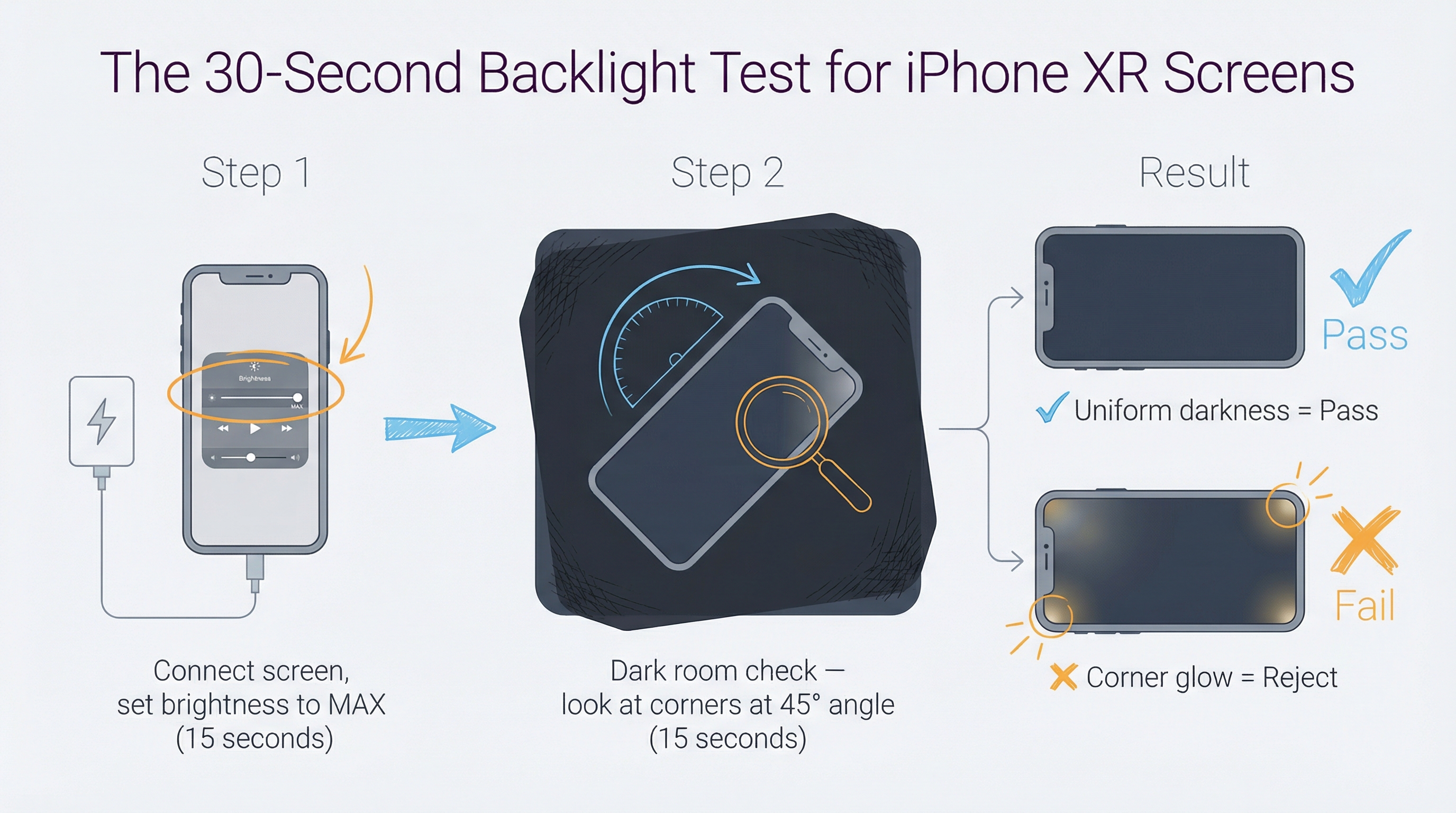
The 30-Second Backlight Test That Catches Bad Screens
This is the test that would have saved the Leeds shop £800. Do this before installing ANY iPhone XR screen:
Step 1: Power the screen on (15 seconds)
Connect the screen to the phone without fully installing it. Navigate to Settings > Display & Brightness. Set brightness to maximum.
Step 2: The dark room check (15 seconds)
Open Safari and go to darkblackscreen.com. In a dimly lit room, look at the screen from a 45-degree angle. Check all four corners.
What you're looking for:
- ✅ Pass: Uniform darkness across the entire screen. No visible light leaking from corners or edges.
- ❌ Fail: Bright spots in corners, uneven glow along edges, or a visible "clouding" effect. Reject the screen immediately.
The supplier test (bonus):
Before ordering, send this message to your supplier:
"这批XR屏的导光板是几层的?背光均匀度能到多少?" (How many layers is the light guide plate in this XR batch? What's the backlight uniformity rating?)
If they can answer immediately with specifics (e.g., "三层导光板,均匀度95%以上" — three-layer light guide, 95%+ uniformity), they know their product. If they dodge the question or don't understand it, they're reselling someone else's stock and can't guarantee consistency.
Face ID After iPhone XR Screen Replacement: The Myth vs Reality
One of the most searched questions about iPhone XR screen replacement is whether Face ID will still work afterwards. Here's the definitive answer:
Face ID WILL work after screen replacement — but only if you transfer the earpiece speaker assembly correctly.
The iPhone XR's Face ID components (the TrueDepth camera system) are housed in the earpiece speaker assembly at the top of the phone, NOT in the screen itself. When you replace the screen, you must:
- Remove the earpiece speaker assembly from the old screen (4 screws + 1 flex cable)
- Transfer it to the new screen in the exact same position
- Reconnect the proximity sensor flex cable — this is the step most YouTube tutorials rush through
The common mistake: Technicians who damage the proximity sensor flex cable during transfer. This doesn't break Face ID, but it disables the auto-brightness and proximity sensor — meaning the screen won't dim during calls, and the phone won't lock when held to your ear. Customers notice this immediately.
The True Tone question: The iPhone XR does support True Tone, but aftermarket screens won't retain it unless you use a programmer tool (like JC V1S or i2C) to copy the original screen's ambient light sensor data to the new screen. Most repair shops skip this step. It's not essential — the screen works perfectly without it — but it's a nice upsell for customers who care about colour accuracy.
iPhone XR Screen Replacement: DIY vs Professional
When DIY Makes Sense
The iPhone XR is actually one of the easiest iPhones to repair yourself. Unlike newer models with rear-opening designs or edge-to-edge OLED panels, the XR has:
- A straightforward front-opening design (two pentalobe screws at the bottom)
- No fragile OLED panel to worry about
- Generous bezels that give you room to work
- Widely available, inexpensive parts
You'll need: Pentalobe screwdriver, Y000 tri-point screwdriver, suction cup, spudger, and a heat gun or hair dryer. Total toolkit cost: £8-£15.
Realistic time: 30-45 minutes for a first-timer, 15-20 minutes with experience.
Risk level: Low-medium. The main risks are damaging the earpiece speaker flex cable (Face ID issue) and not properly seating the display connectors (causing touch issues).
When Professional Repair Makes Sense
- You don't have 45 minutes and a clean workspace
- You want a warranty on the repair
- You're not comfortable working with flex cables
- You need True Tone functionality preserved
What to ask your repair shop:
- "What grade of screen do you use?" — If they can't answer, walk out.
- "Do you transfer the earpiece speaker assembly or use a new one?" — They MUST transfer the original. New aftermarket earpiece assemblies don't have calibrated Face ID data.
- "Is the screen waterproof-sealed after replacement?" — Good shops re-seal with proper adhesive. Budget shops skip this step.
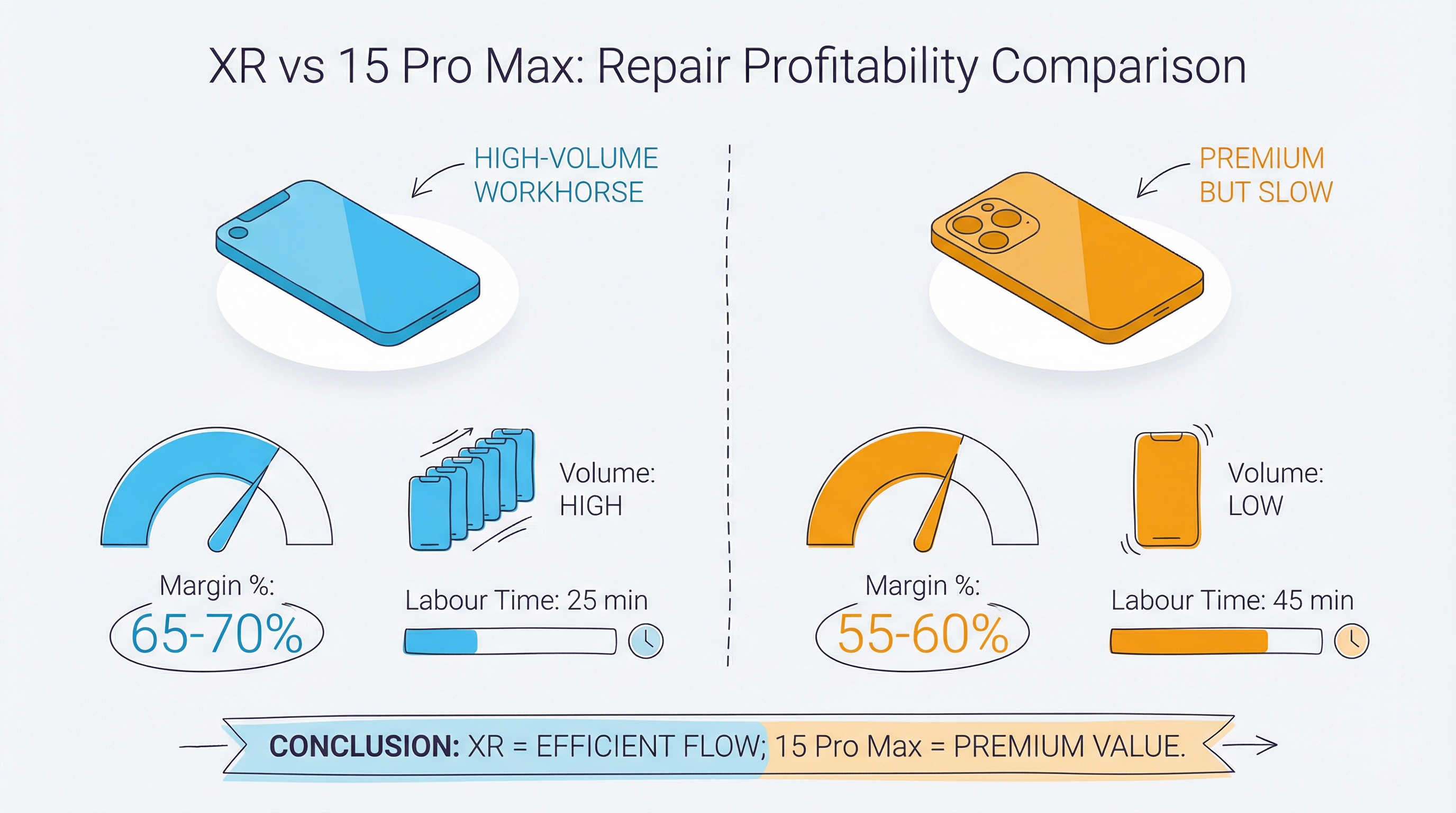
Why the iPhone XR Is the Most Profitable Screen Repair in 2026
This section is for repair shop owners. Here's why you should love iPhone XR repairs:
The numbers:
- Parts cost (Grade A): £18-£25
- Typical charge to customer: £50-£70
- Labour time: 15-20 minutes
- Gross margin per repair: £25-£52
- RMA rate (Grade A): 0.6%
Compare that to an iPhone 15 Pro Max:
- Parts cost (Soft OLED): £65-£95
- Typical charge: £120-£180
- Labour time: 25-35 minutes
- Gross margin per repair: £25-£115
- RMA rate: 0.8%
The XR gives you comparable margins in less time with lower risk. The parts are cheaper, the repair is simpler, and the failure rate is the lowest of any iPhone model we supply. There are still millions of iPhone XRs in active use across the UK — it was Apple's best-selling iPhone in 2019 and many users are holding onto them.
The upsell opportunity: iPhone XR customers are often budget-conscious. Offer a screen + battery combo deal. XR batteries are cheap (£8-£12 wholesale) and the battery replacement adds only 10 minutes to the job. A "screen + battery refresh" package at £70-£90 is an easy sell.
Frequently Asked Questions
How much does Apple charge for iPhone XR screen replacement?
Apple charges £169 without AppleCare+ and £25 with AppleCare+ for iPhone XR screen replacement in the UK. Third-party repair shops typically charge £30-£80 depending on screen quality grade.
Can I replace my iPhone XR screen myself?
Yes. The iPhone XR is one of the easiest modern iPhones to repair. You'll need a pentalobe screwdriver, tri-point screwdriver, suction cup, and spudger (£8-£15 for a toolkit). Budget 30-45 minutes for your first attempt. The main risk is damaging the earpiece speaker flex cable during transfer.
Will Face ID work after iPhone XR screen replacement?
Yes, Face ID will work after screen replacement as long as you correctly transfer the earpiece speaker assembly from the old screen to the new one. The TrueDepth camera system is housed in this assembly, not in the screen panel itself.
What's the difference between LCD and OLED iPhone XR screens?
The iPhone XR uses LCD (Liquid Retina) natively — there is no OLED version. If a supplier offers you an "OLED upgrade" for the XR, they're either confused or misleading you. All legitimate iPhone XR replacement screens are LCD. The quality difference comes from the backlight module and flex cable quality, not the panel technology.
How long does an iPhone XR screen replacement last?
A Grade A aftermarket LCD screen typically lasts 2-4 years with normal use. Grade B screens last 1-2 years. Grade C screens have a 12-20% failure rate within the first year. The flex cable is usually the first component to degrade, causing touch sensitivity issues.
Your Monday Morning Action Plan
Here's what to do this week:
If you're a repair shop owner:
-
Check your current iPhone XR screen inventory. Pull one out and do the 30-second backlight test described above. If it fails, you know your supplier is sending Grade C stock.
-
Before your next order, message your supplier: "这批XR屏的导光板是几层的?" If they can't answer, it's time to find a new supplier.
-
Price your XR repairs competitively. At £50-£60 with Grade A parts, you're making £25-£40 per repair in 15 minutes. That's better hourly margin than most OLED repairs.
If you're replacing your own screen:
-
Order a Grade A screen (£18-£28). Don't go cheaper — the £10 you save isn't worth the risk of backlight bleed or ghost touch.
-
Watch a teardown video BEFORE you start. Pay special attention to the earpiece speaker transfer — that's where most DIY repairs go wrong.
-
Do the backlight test before fully installing the screen. It takes 30 seconds and could save you an hour of reinstallation.
Need screens that pass the backlight test every time? We test every batch at our Shenzhen facility before shipping to the UK. Our Grade A iPhone XR screens come with backlight uniformity documentation and a 12-month warranty. Request a sample — we'll include the QC test report so you can verify the quality yourself.